What are people looking for when they open a restaurant's website?
They want four things: what food you serve, what it costs, when you're open and how to book. Most of them arrive on a phone, often from Google Maps or a search like “restaurant near me”, and decide within seconds whether to stay or go back to the list.
That's why the order of the content matters more than the design. The first phone screen should show the restaurant's name, one line about what kind of place it is, the booking button and a link to the menu. A big photo of the dining room looks nice, but if it pushes the booking button below the fold, it's costing you guests.
Events, a gallery, the story of the place and a blog all have their uses, especially for someone choosing between two restaurants. They come after the basics are one tap away.
Which practical details must not be missing?
Opening hours, address, phone number and a map. They seem obvious, yet they're the details most often wrong or out of date on restaurant websites. Opening hours that no longer apply send people to a closed door, and those people don't come back.
The same details should appear identically on the site, on your Google Business Profile and on your social media pages. When the hours differ from one place to the next, guests don't know which to believe, and Google trusts the information less too.
It's also worth adding the details that save a phone call: where to park, whether there's a terrace, whether pets are welcome, whether the place works for a pushchair or a wheelchair, and which special days have different hours. Every question the site answers on its own is a shorter path to a booking.
How do you keep a restaurant website up to date without a developer?
With an admin panel where your own team changes the menu, prices, hours, events and photos. A restaurant changes often, and a site that needs a developer for every edit will inevitably fall behind.
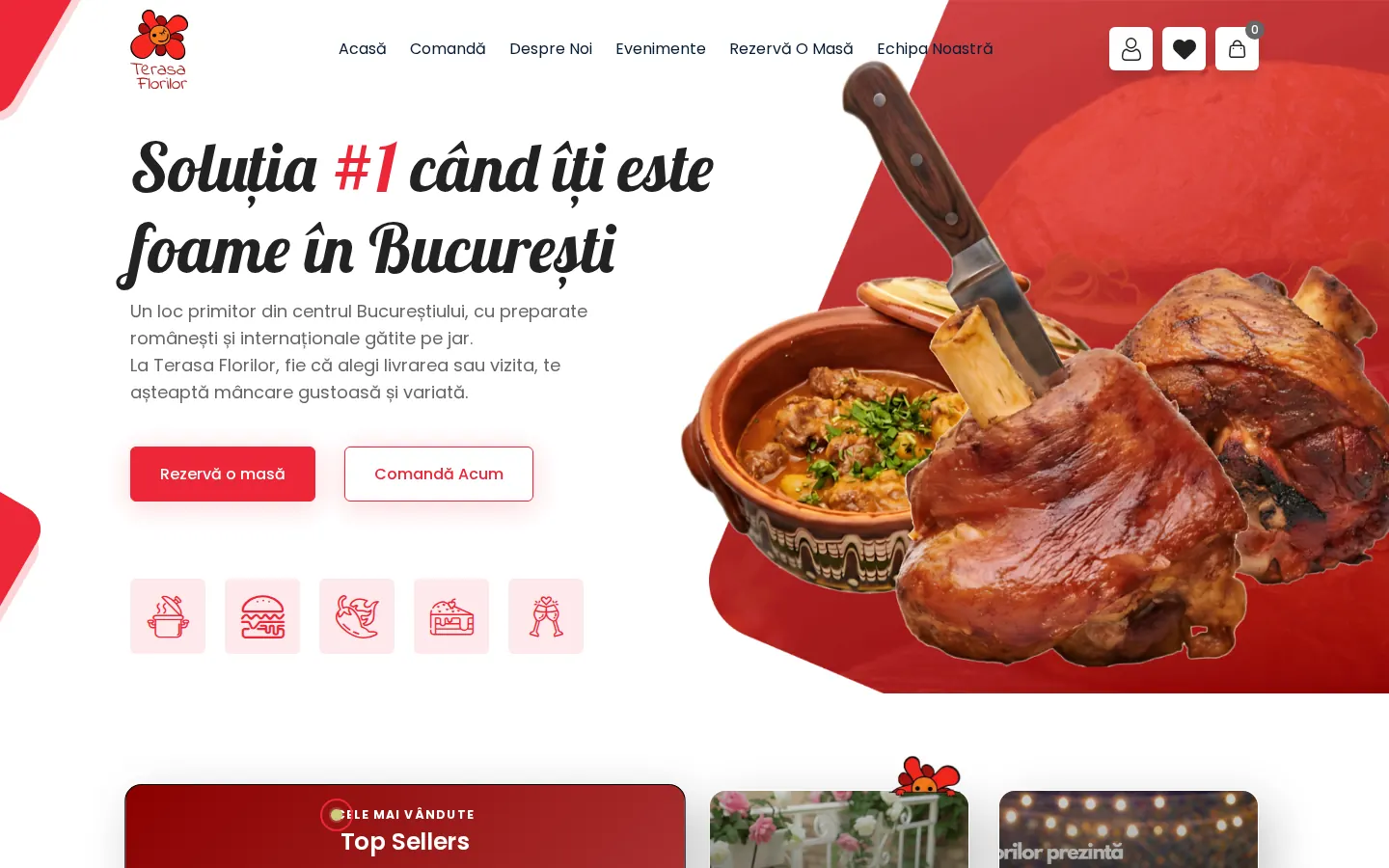
That's exactly what happened at Terasa Florilor in Bucharest: the menu and events changed every week, and the old website needed a developer for every edit. The new site has a menu, events and bookings, and the restaurant's team edits products, events, photos and coupons straight from the panel.
When you choose who builds your site, ask to see the admin panel before you sign and ask who on your team will use it. If the floor manager can change the daily specials from a phone in two minutes, the site will stay accurate.
What helps a restaurant website get found on Google?
A site that is fast on a phone, with the menu in text, clear titles on every page and the same contact details as your Google Business Profile. Google reads text, not images, so a text menu and a complete contact page help directly.
On the technical side, the site needs HTTPS, should load quickly on mobile data and should be submitted to Google Search Console at launch. Structured data for restaurants, an invisible block of code that describes the name, address, hours and menu, helps Google show the details correctly in search results.
The site doesn't replace your Google Business Profile or your reviews, but it complements them: the profile sends people to the site, and the site takes them to a booking.
Which mistakes keep guests from booking?
Most mistakes come from the same place: the site was designed for the big office screen, not for the phone of a guest standing on the street. These are the ones that show up most often.
- a menu only as a PDF or an image, with no readable prices
- a booking button hidden in the navigation or only on the contact page
- outdated opening hours that differ from Google
- a heavy video or gallery that keeps the first screen loading for seconds
- a long form with required fields you don't actually need
- no clear message after the booking is sent
Frequently asked questions
Do I need a website if the restaurant already has Facebook and Instagram?
Yes, if you want direct bookings and to be found on Google. Social media is good for photos and news, but the menu, hours and booking are harder to find there, and the platforms change their rules without asking you. The website is the place you control.
Do I also need online ordering on the site?
Not necessarily. If you don't deliver, a site with a menu and bookings is enough. If you do, your own ordering gives loyal customers a direct route without aggregator commission, but it doesn't replace delivery platforms, which bring you new customers.
How much does a restaurant website with a menu and bookings cost?
At ZED-ZEN the starter package begins at 1,500 RON: 5 to 8 pages, a digital menu, contact and phone ordering, SEO and GDPR, plus the first year of hosting. The version with online ordering starts at 2,200 RON. Sites are delivered in 1–2 weeks.
Which personal details can I ask for in the booking form?
Only what you need for the booking, usually a name and a phone number or email. The site needs a privacy policy that explains what you do with the data, and newsletter sign-up should be a separate checkbox, not bundled with the booking.