Why publish as a company instead of under a personal account?
With an organization account, the store shows your company name, not the developer's. Customers see your brand rather than a stranger's name, and they are more willing to sign up. The account also stays with the company if you change agencies or the person who built the app leaves.
It is about control as well. If the app lives on someone's personal account, moving it later is possible but slow and bureaucratic. Start on the company account from day one and give your agency user access to it, not the other way round.
What is a D-U-N-S number and how do you get one?
D-U-N-S is a nine-digit identifier that Dun & Bradstreet assigns to businesses. Apple requires it when an organization enrolls in the Apple Developer Program, and Google requires it for organization accounts in Play Console. It is how both stores confirm that your company exists and that the details you entered are real.
Many businesses already have a D-U-N-S number without knowing it. Apple offers a lookup tool where you can check, and request one free of charge if you don't have it. Make sure the legal name and address match your official company registration exactly, or verification stalls. Timing varies, from a few business days to longer.
How do you open the developer accounts with Apple and Google?
With Apple, you enroll in the Apple Developer Program as an organization, using a company Apple ID, your D-U-N-S number, a public website on a company domain and a person with legal authority to sign for the business. Membership is billed yearly. Apple may call to confirm details, so list a phone number someone actually answers.
With Google, you create an organization account in Play Console, pay a one-time registration fee and go through identity verification: D-U-N-S, company documents and a verified contact email and phone. Fees can change, so check the current amounts on the official pages. Use a company email address, not a personal one.
What goes into the store listing?
The store listing is your app's sales page. Many people decide from the first screenshots and the opening line of the description whether to install. Write for the customer, not the developer: what they get, not which framework you used. Use real screenshots from the final build, not mockups.
- Name, subtitle (Apple) or short description (Google), and full description
- App icon and, for Google Play, a feature graphic
- Screenshots in the required sizes for phones and, if supported, tablets
- Category, age rating and keywords
- Privacy policy link and a support contact
Which privacy policies and declarations do the stores require?
Both stores require a public privacy policy at a working URL. On top of that, you fill in the data declarations: App Privacy on Apple and the Data safety section on Google. There you state what you collect (email, phone, location, points history), why, and whether you share it with third parties.
If the app lets people create an account, it must also let them delete it, and Google additionally asks for a web link where deletion can be requested. Your declarations must match what the code actually does, including analytics libraries. A mismatch is a common cause of rejection or a later policy warning.
How do you get through review without rejections?
Apple's review is done by people and is stricter. The usual problems: the app is just a wrapped website with no real features of its own, account deletion is missing, or the reviewer can't sign in. Give them a working demo account and explain in the review notes how to reach every feature.
Google's review is more automated but checks your declarations and permissions closely. Ask only for the permissions you need. Test first on each store's test tracks: TestFlight on Apple, internal or closed testing on Google. A rejection is not a disaster: read the reason, fix it and resubmit.
What happens after the app goes live?
Roll out gradually. Google offers staged rollouts by percentage, and Apple offers phased release. That way a bug reaches a few users, not everyone. Watch crash reports and reviews closely in the first days and reply to them. A quick, polite answer to a bad review matters to everyone who reads it later.
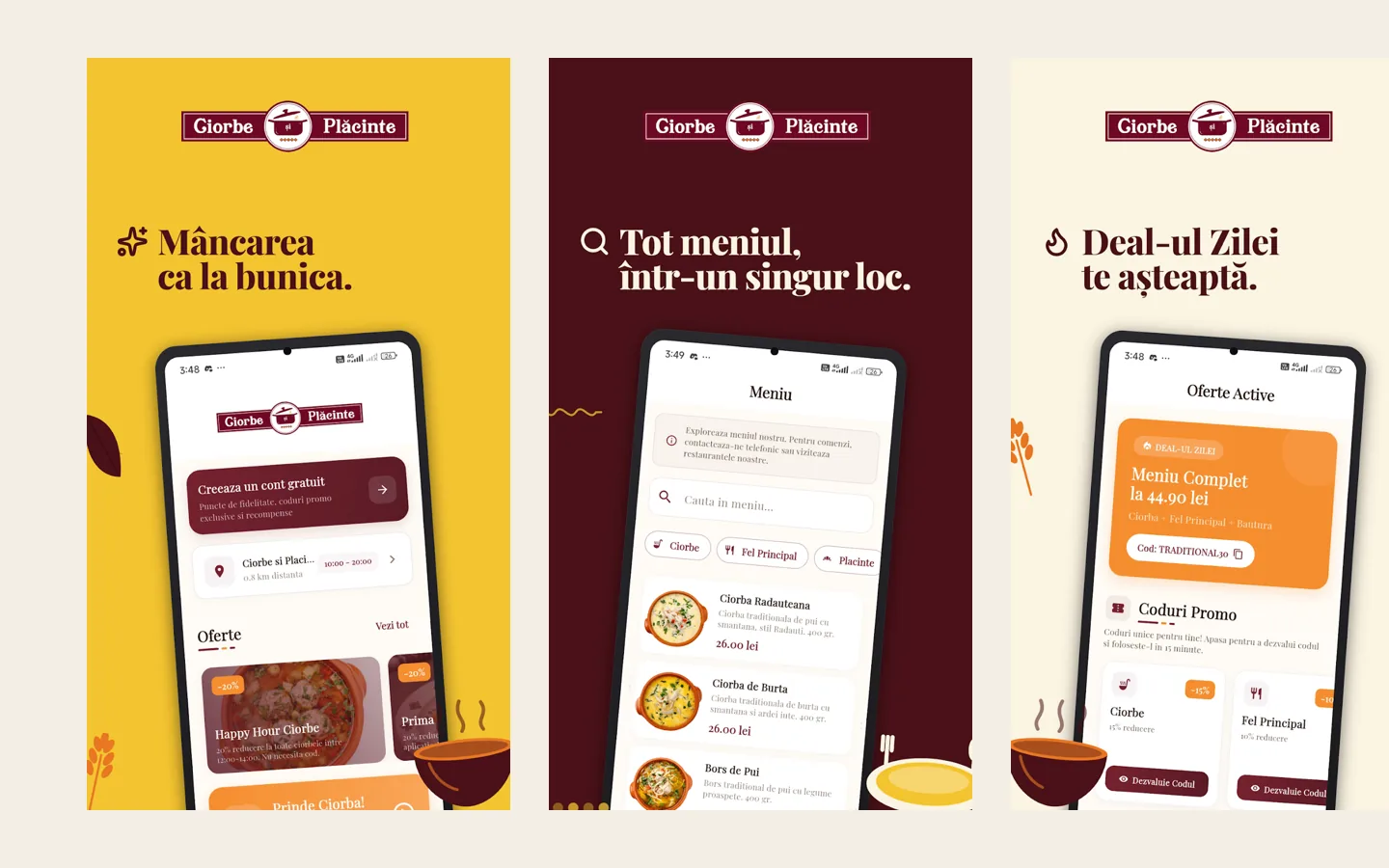
Then comes maintenance. Apple and Google periodically require apps to be built against recent platform versions, and an app that is never updated can end up hidden from the store. Budget for regular updates, not just the launch. For the Ciorbe și Plăcinte app, we handled the whole journey, from D-U-N-S to going live on both stores.
Steps
- Check for or request a D-U-N-S numberLook up your company in Apple's tool and request a D-U-N-S number if you don't have one. The legal name and address must match your official registration exactly.
- Enroll in the Apple Developer Program as an organizationUse a company Apple ID, your D-U-N-S number, a public website on a company domain and a person with signing authority. Pay the yearly membership.
- Create an organization account in Google Play ConsolePay the one-time fee, complete company identity verification and confirm the contact email and phone.
- Publish the privacy policyPut the policy on your company website at a stable URL, and prepare a link where users can request account deletion.
- Prepare the store listingName, descriptions, icon, screenshots, category, age rating, and the App Privacy and Data safety declarations.
- Test on the test tracksShip the build through TestFlight and Play Console internal or closed testing, with real people from your team.
- Submit for review and release graduallySubmit with a demo account and clear reviewer notes. Once approved, use a staged or phased release and watch for crashes.
Frequently asked questions
Can I publish my company's app on a personal account?
Technically yes, but the store will show that person's name and the account won't belong to the company. For a brand app, we recommend an organization account from the start.
How much do the developer accounts cost?
Apple charges a yearly membership and Google a one-time registration fee. Amounts can change and may vary by country, so check the official Apple Developer and Google Play Console pages.
How long does it take to get a D-U-N-S number?
It varies. Sometimes a few business days, sometimes longer, especially if company details don't match. That's why we request it in the first week of a project.
Why does Apple reject apps?
Most often for minimal functionality (a wrapped website), missing account deletion, inaccurate privacy declarations, or because the reviewer couldn't sign in.
Can one app cover both iOS and Android?
Yes. With a cross-platform framework like Flutter you write one codebase for both. The Ciorbe și Plăcinte app is built that way. Publishing is still done separately in each store.
Can you handle the whole process?
Yes. For Ciorbe și Plăcinte we handled the D-U-N-S number, organization accounts, design, development, store listing, review and publishing. Mobile apps start from 1,500 RON.